KeepTrack
December 2025
What is it?
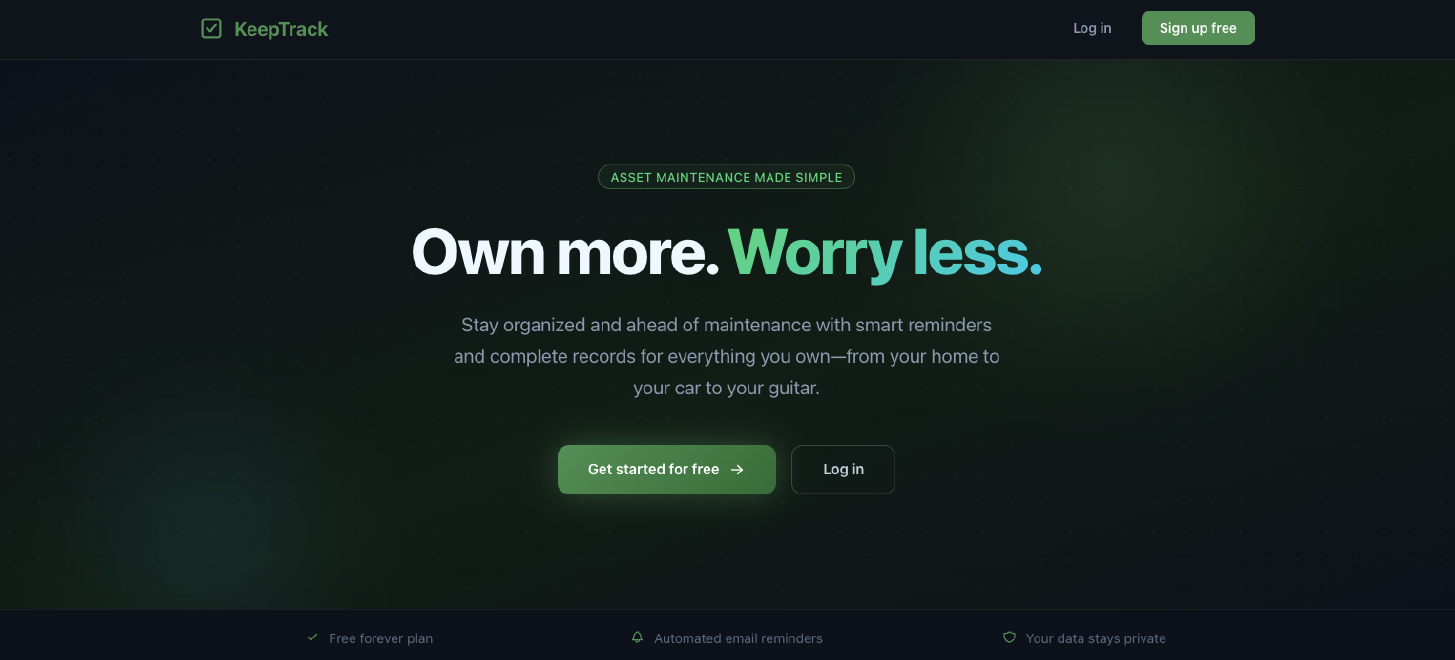
KeepTrack is a web app for owning things well. You add an asset (a house, a car, a motorcycle, an appliance, a computer, anything valuable enough that letting it fall apart would hurt) and then you hang two things off of it: recurring maintenance tasks and notes. The tasks tell you what to do and when. The notes hold everything you would want in your hands while you are doing it. The whole point is that for any given thing you own, all of the useful information about it lives in one place instead of scattered across your email, a kitchen drawer, a glovebox, and your memory.
It is also the first side project I have ever built with the help of AI. I started it in March of 2025, right around the time Claude Code came out, and it has been my excuse to learn those tools ever since. That turned out to matter a lot, and I get into it further down, but the tools are not really the point of this post. The point is the house.
KeepTrack is live at keeptrack.tech. The free tier covers three assets with three tasks and three notes on each of them, which is enough for a house and a couple of cars if you are disciplined about it.
Why did I build it?
I bought a house. It is by an enormous margin the most expensive thing I have ever purchased, and I would like it to last a long time.
The problem was that I had no idea what that actually required. I want to maintain my house and I'm not lazy about it, but there are apparently a thousand things a homeowner is supposed to do and nobody hands you the list at closing. I didn't know what needed to be done, I didn't know how to do most of it, and I really didn't know how often any of it was supposed to happen. Every answer I found lived somewhere different: a YouTube video, a forum post from 2011, a thing the previous owner mentioned once during the walkthrough that I immediately forgot. That is not a discipline problem, it is an information problem. Nothing in my life was going to tell me it was time to drain the water heater.
Once I started thinking about it that way I realized the house wasn't special. My cars have the same problem, and so do the motorcycle, the appliances, the electronics, and anything else of value that needs something done to it on a recurring basis. All of them come with a pile of paperwork that I inevitably can't find when I need it: warranties, owner's manuals, service records, receipts, and the note I wrote down about which furnace filter size actually fits. So I built KeepTrack to solve it for myself, for all of it at once.
What does it do?
Assets
You create an account, log in, and add an asset. Every asset has a category, and the two big ones are property and vehicle.
For a property you fill in the things you would expect: address, lot size, square footage, year built, purchase date, and purchase price. For a vehicle it is year, make, model, VIN, color, and mileage. Both of them also get a free-form description field, which in practice is where I dump everything that doesn't have a proper home (parcel numbers, the names of the previous owners, that kind of thing). And there is an "other" category for the long tail, which is how my Mac Mini ended up in there next to a 1971 Land Cruiser.
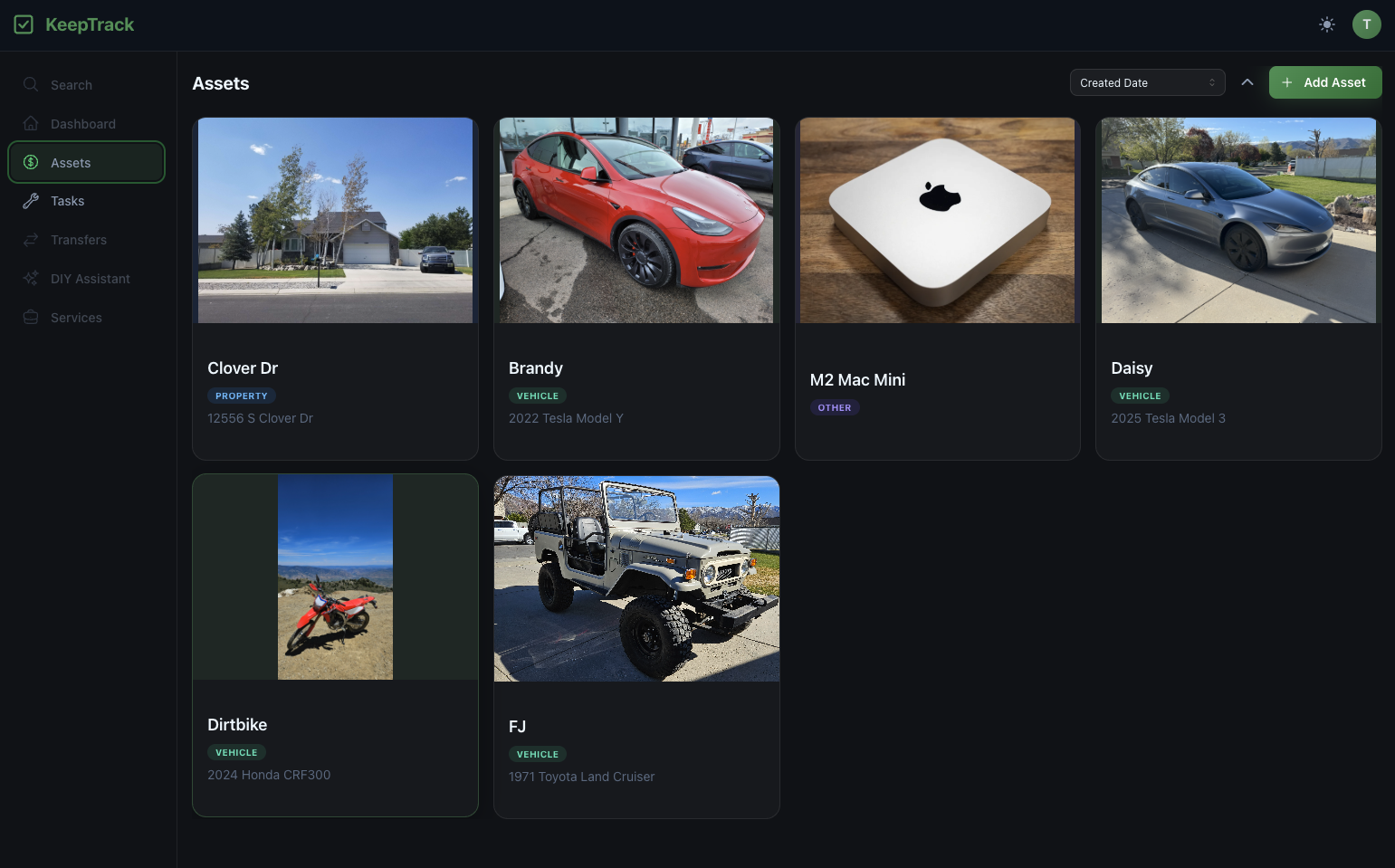
Other than people, here's the important stuff in my life.
The asset record itself is the center of the whole app. Everything else in KeepTrack attaches to one of these.
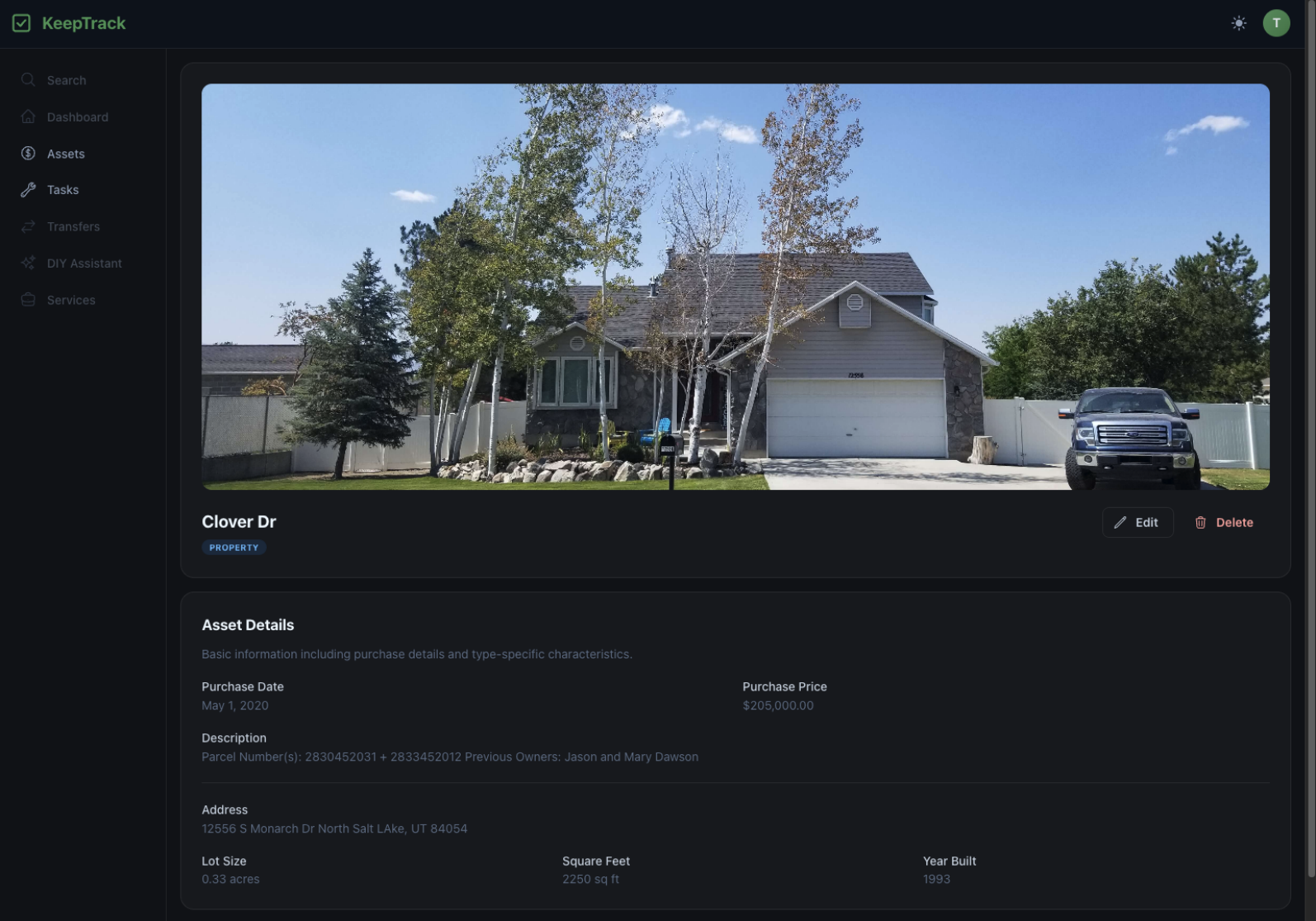
The top of my house's record. Built in 1993, which explains most of the maintenance tasks sitting underneath it.
Maintenance Tasks
A maintenance task is a recurring reminder attached to an asset. You give it a title, a cadence, and a description. My house has "Winterize Sprinklers" every year, "Change Furnace Filters" every three months, and "Drain Water Heater" every year. KeepTrack calculates the next due date, emails you when something comes due, and keeps the full completion history so you can see when you last actually did it.
The description field is the part I care about most. A reminder that just says "winterize sprinklers" is only half a reminder; I still have to go remember how. So the description can hold whatever makes the job easier the next time around:
- Instructions I wrote to myself the last time I figured it out
- A link to the exact furnace filter I buy, because the standard ones don't fit
- An embedded YouTube video so I can watch the how-to right there instead of going and finding it again
The goal is to remove every excuse between "you should do this" and actually doing it.
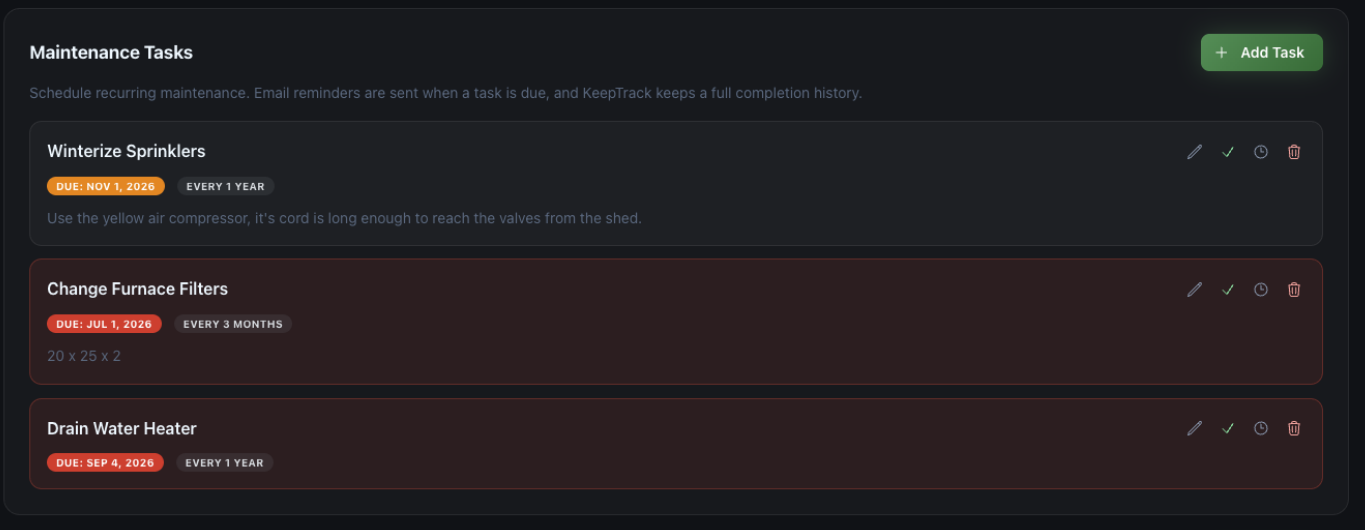
Maintenance tasks on my house. Note the reminder to myself about which air compressor to use.
There is also a Tasks page that pulls every task across every asset into one list, sorted by what is overdue and what is coming up. This is the page that makes me feel bad about myself, which is exactly what I built it to do.
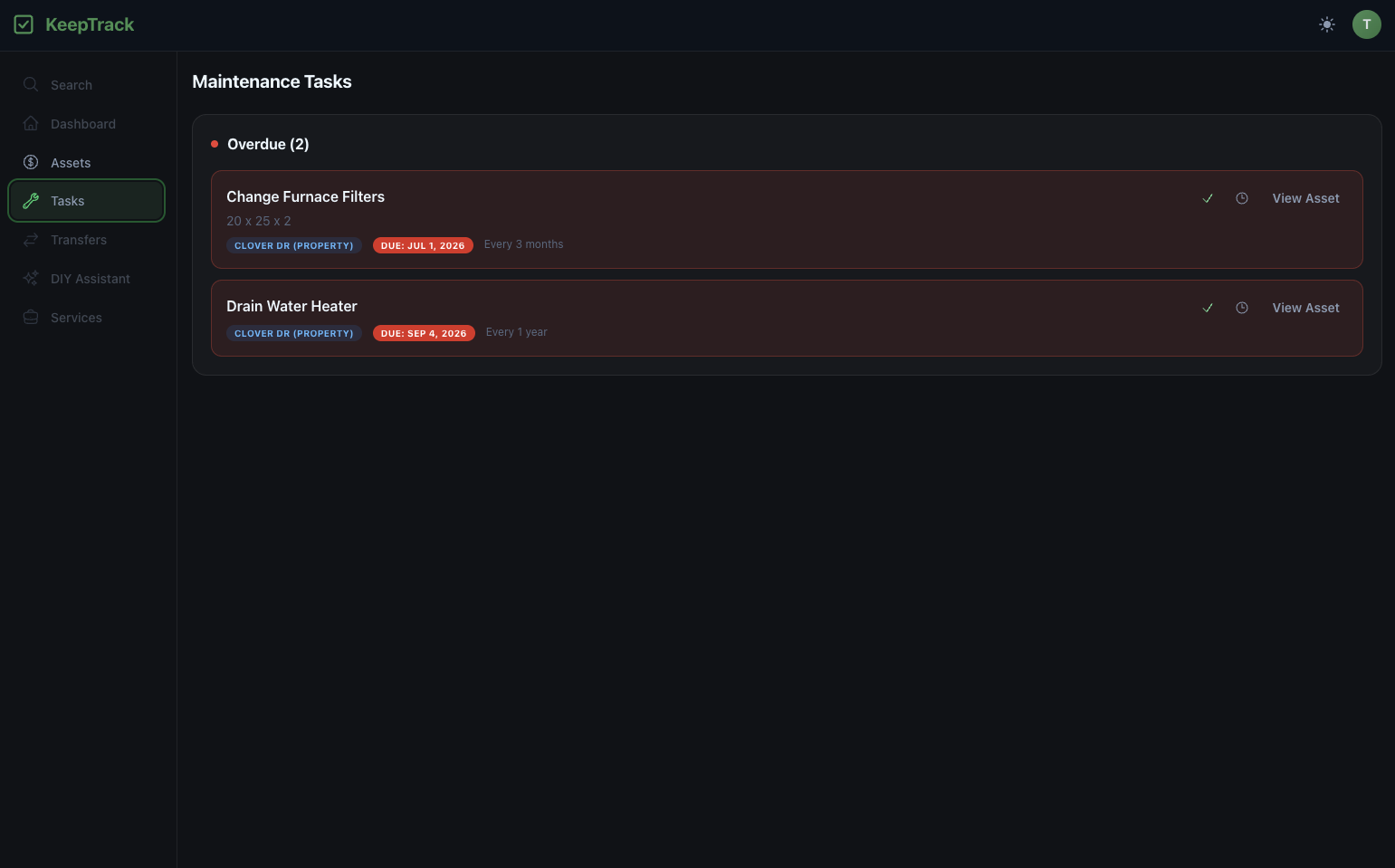
Every task across every asset in one place. Yes, I'm behind on my furnace filters.
Notes
Notes are the free-form half. Text, images, files, links, or whatever else you think would be useful to have later. There is no structure to them on purpose, because the useful stuff never fits a schema.
When we redid the sprinklers at our house I ended up with a hand-marked map of the whole system: where every head is, where the shutoff valves are, and what zone is connected to what. That map now lives on my house's asset record instead of in a folder somewhere, and the first time I needed it I actually found it. I have another note that is just a photo of my furnace filters with the size written out, because I have looked that number up more times than I care to admit. On a vehicle it is the same idea with different contents: the warranty PDF, the owner's manual, service records, and receipts from the shop. All of it sitting on the record for the thing it belongs to.
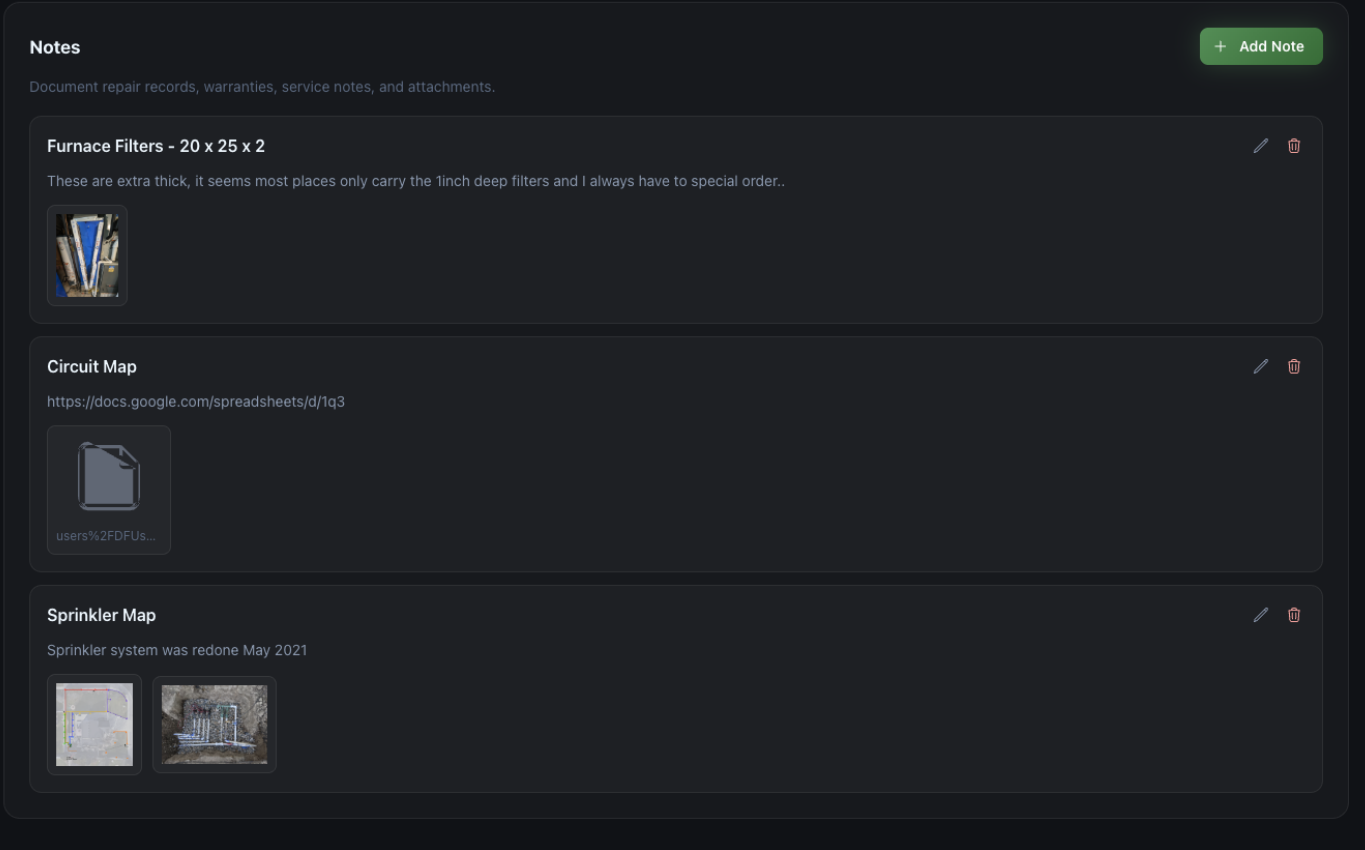
Notes on my house, including the sprinkler map I would otherwise have lost by now.
What have I learned?
AI tools have completely changed how much I can get done in a weekend.
- KeepTrack is the first side project I ever built with the help of AI. I started it in March of 2025, right around when Claude Code came out, and the earliest version of it was written by hand the way I had built everything before it.
- As the tools got better I started using KeepTrack as an excuse to try them out, which is how a side project turned into the place where I got familiar with a way of building software that has since taken over the industry.
- Features that used to cost me an entire weekend now take an hour or less, and watching that gap widen over the past year has been genuinely incredible.
Building something you personally need is the fastest feedback loop I have ever worked in.
- With The Campus Market and RentSoft there was always a gap between me and the user; I had to go ask someone whether a thing was annoying.
- Here I am the user. I find the friction the same week I ship it, because I hit it while trying to change a furnace filter.
- The flip side is that n=1 is a dangerous sample size, and I have to keep reminding myself that "Thomas finds this obvious" is not the same as "this is obvious."
The reminder is the easy part. Knowing what to be reminded about is the hard part.
- Scheduling recurring tasks and emailing people about them is not a difficult engineering problem, and I had it working early.
- But it only helps if you already know the task exists. My original problem was never "I forgot to winterize my sprinklers"; it was "nobody ever told me sprinklers need winterizing."
- KeepTrack solves the second half of my problem really well and the first half not at all. That gap is still the most interesting thing about the project to me.
A project you touch once a month needs to be written for the version of you who has forgotten everything.
- I work on KeepTrack in bursts, and there have been gaps of two or three months between them.
- The things that saved me every time were boring: a documented design system, a single file with all of the type definitions, and notes to myself about how the pieces fit together.
- At work I would call that documentation discipline. On a side project it is closer to self defense.
What's next?
Every other project I have written about here was finished, or at least abandoned, by the time I wrote the post. KeepTrack is not, so instead of telling you how it went I can tell you where it is going. I have a long list and a short amount of free time, so treat all of this as "someday." But these are the ones I actually think about.
Transfers
Say you have been using KeepTrack for your car for four years. You have the manual, the warranty, and every service record and receipt sitting on that asset. Then you sell it, and all of that history, which is genuinely valuable to the buyer, just evaporates.
It shouldn't. You should be able to hand the whole record to the new owner's account along with the keys. I think a car with a complete, transferable maintenance history is worth more than one without, and I would like KeepTrack to be the thing that makes that possible.
A DIY assistant
If you are standing in your yard at 8pm in October halfway through winterizing your sprinklers and something isn't going the way the video said it would, you should be able to ask right there. Upload a photo of the valve you are confused about, describe what is happening, and get walked through it. That is a much better experience than putting the project down and going to search for it.
Actually knowing what needs doing
This is the big one, and it is the original problem I never solved. KeepTrack knows a lot about my house: how old it is, how big it is, where it is, and what I have already set up reminders for. It should be able to use that to suggest what I am missing rather than making me guess. Right now the app is only as good as the list of tasks I thought to create, and my list is definitely incomplete. I just don't know which parts.
Services
The longer term thought on making this pay for itself. If you get a reminder that your sprinklers need winterizing and you would rather not do it yourself, KeepTrack already knows what you need and roughly where you are. Surfacing a few local companies who would come do it seems like a natural fit, and a more honest business model than charging people for reminders.
None of that is happening on a schedule. This is a side project and it behaves like one. I have never advertised it, never posted about it, and never really tried to get anyone to sign up, so the user base is approximately me.
But it is the first side project I have built that I actually use every week, which is more than I can say for most of the things I've made. My sprinklers got winterized on time last year. I stopped ordering the wrong furnace filters. When we needed the sprinkler map, we had the sprinkler map. For a tool built for an audience of one, I would call that a success. And who knows, the problem I built it for isn't a rare one. Every first time homeowner I have talked to has some version of the same story, so maybe at some point I will find out whether it is useful to anyone else.